Manage servers,
Deploy faster,
Sleep better.
SSH access, file management, AI-assisted troubleshooting, and one-click deployments. Runs locally. No cloud. No agents.
Free · Local · No account needed
Everything you need to manage servers
One app. All your servers. No context switching.
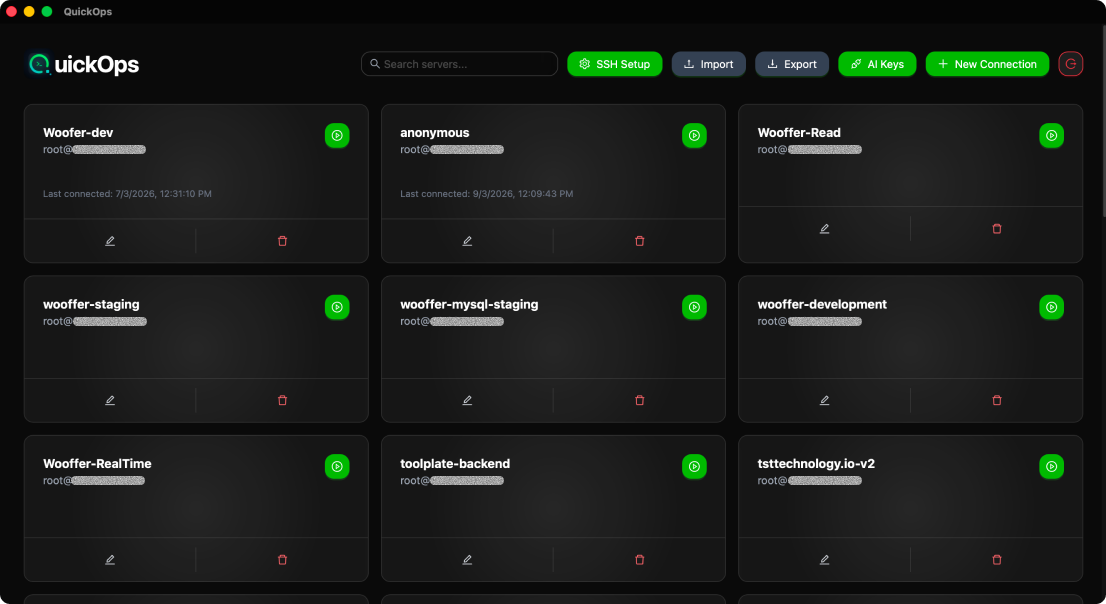
Manage your entire fleet from one place
- Connect via SSH key or password
- Switch servers by alias — forget IPs
- Encrypted local storage — credentials never leave your machine
- Live status indicator per server (online/offline/CPU alert)
The numbers behind QuickOps
Real data from teams managing infrastructure with QuickOps.
Why engineers choose QuickOps
Not another web dashboard. Not another CLI tool. Something better.
The Old Way PuTTY + WinSCP + more | Web Dashboards Slow & cloud dependent | QuickOps Native & AI-powered | |
|---|---|---|---|
| Tool consolidation | 4+ apps | 1 cloud UI | 1 app ✓ |
| Data privacy | Partial | Cloud data | 100% local ✓ |
| Speed | Manual | Slow UI | Native fast ✓ |
| AI assistance | None | None | Built-in ✓ |
| Cloud keys needed | No | Yes ✗ | Never ✓ |
| Works offline | Yes | No ✗ | Yes ✓ |
Deploy anywhere. Manage everything.
QuickOps connects to any server over SSH — provider doesn't matter.
 AWS
AWS Google Cloud
 Azure
Azure DigitalOcean
If it runs Linux and has SSH open — QuickOps manages it.
Your Infrastructure. On Your Machine.
Privacy-first architecture. Your data stays where it belongs.
Zero Data Sharing
QuickOps runs entirely on your machine. SSH keys, server IPs, and credentials never touch a cloud.
No Cloud Keys Required
We only need your SSH key — never your AWS IAM, GCP service account, or Azure credentials.
Fully Offline Capable
All server data is stored in encrypted local storage. Works without internet after install.
Live Monitoring
Real-time metrics across all servers
prod-us-east-01
192.168.1.10
prod-eu-west-02
10.0.0.22
staging-01
172.16.0.5